The $60 Laptop
What an estate sale machine reveals when no one wipes the drive.

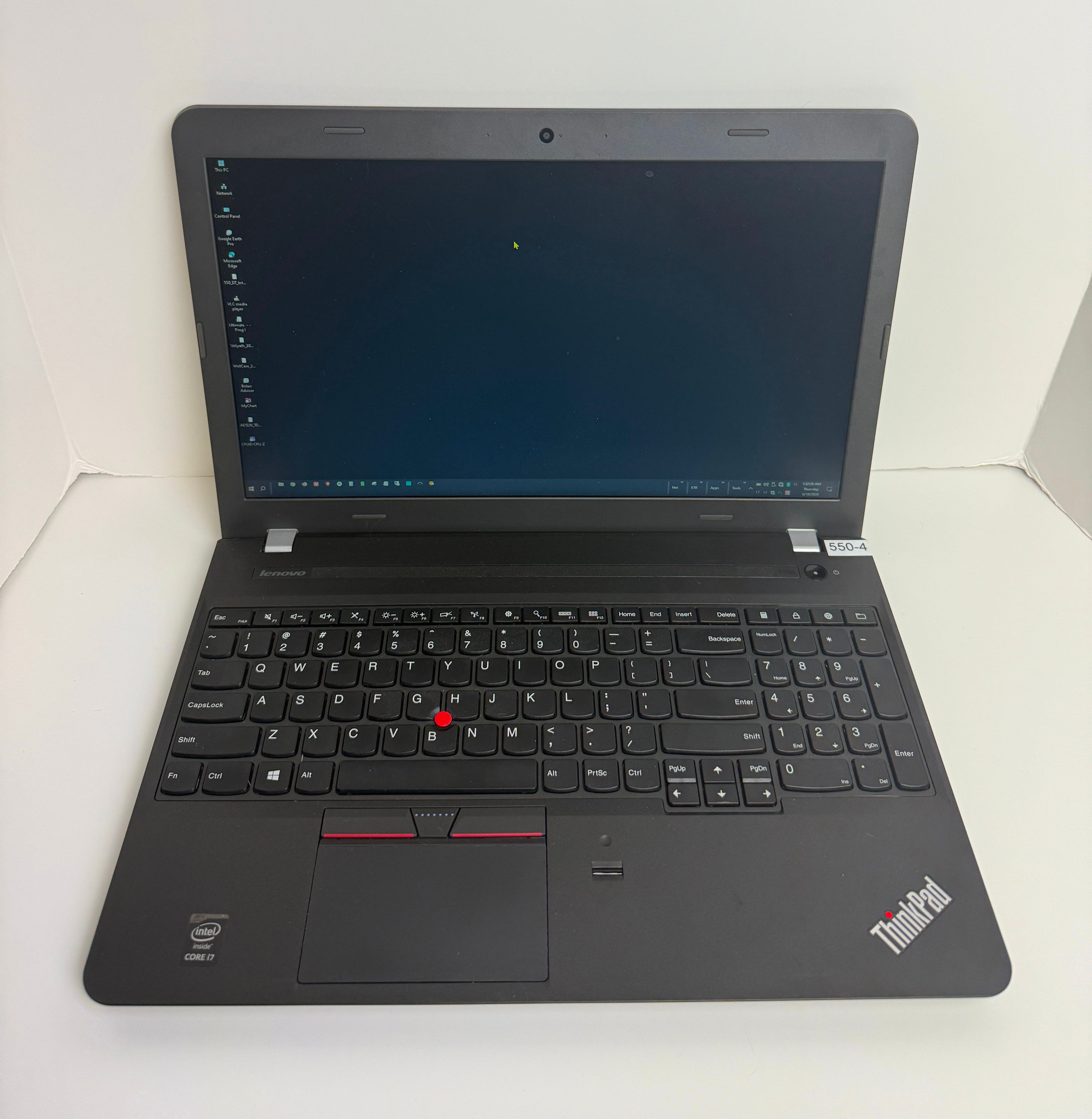
I paid sixty dollars for a dead man’s laptop at an estate sale.
I did not know he was dead when I bought it. I knew someone had used it seriously. The machine had been upgraded, the original spinning hard drive swapped out for a solid-state drive, the RAM doubled. The software toolkit was methodically organized. And the taskbar was unlike anything I had seen before.
He had built a custom toolbar system rooted in a dedicated folder at C:\Toolbars. Not pinned icons. Not the modern Windows taskbar. A Windows Quick Launch sub-toolbar system, four panels wide, each populated with organized shortcuts: one panel for personal accounts and communication, one for networking tools, one for productivity software, one for diagnostics. It is a technique that was common among power users and PC repair technicians during the Windows XP and Vista era, a workaround from before the modern taskbar existed in its current form. In a long time of looking at computers, I had never seen one configured this way on a modern machine. You do not carry a trick like that forward from 2003 unless you were genuinely living in Windows during the era when it was the right answer, found that it still worked, and never saw a reason to change it. It was the clearest signal, before I had read a single file, that I was looking at a machine that belonged to someone who knew exactly what they were doing.
Someone had spent real time on this machine. The power cord was there, the price was right, and the estate sale operator had no idea what was on the drive.
Nobody had wiped it.
When I got home and powered it on, I expected something. A login screen, a PIN prompt, some friction between me and whatever was on the drive. Instead it booted directly to the desktop. No password. No delay. I was in.
Within the first hour, I had his full legal name, his Social Security number, his date of birth, and his home address. By the end of the afternoon, I had the login credentials for eight financial institutions, his complete medical history, his Medicare ID, his current medication list with dosages, and the WiFi password for the house where he had lived.
I also knew he had been divorced. That he had kept his ex-wife’s contact information on the machine, including a login credential she had apparently used, stored in a file from 2020. That she had flown in from the Pacific Northwest to visit him for one week in December 2022, and then flown home. That he had been caring for at least one consulting client whose date of birth and portal password were sitting in a plain text file next to his own.
That his passwords were built from the names of his pets. The same four or five names, cycled and recombined across a decade of accounts. Banking, email, government portals, insurance. All of it locked with the same handful of names.
That the last file on the machine was dated July 2024.
That after that, the machine had ended up on a folding table at an estate sale, priced to move.
What Was on the Drive
The previous owner was not a naive user. He had been managing computers professionally for years, possibly decades. He ran network diagnostic tools that most home users have never heard of. He managed ADSL circuits for business clients. He used remote desktop software and ran it for clients who depended on him. He ran full hardware audits with Belarc Advisor on a regular schedule. He blocked the Windows 11 upgrade via registry edit because he knew what he was doing and did not want it. He maintained not one machine but six, across multiple clients and personal builds, tracking each one’s hardware specs, software licenses, and upgrade history.
He had owned this specific laptop since 2015, when it was new. Somewhere around 2021 he had pulled the original hard drive and installed a one-terabyte solid-state drive himself. He reinstalled Windows fresh in January 2022 and spent the following months rebuilding his entire software environment from scratch, reinstalling each application and reconstructing the toolbar system he had been refining for decades. The machine was nine years old the last time a file was opened on it. He had kept it alive through two hardware upgrades and at least one full OS reinstall because it still did exactly what he needed it to do.
Going through a computer like this is a different experience than going through a typical home user’s machine. Most people’s computers are a mess. Applications installed and forgotten. Desktops covered in files. No organization to speak of. This machine was the opposite. It reflected someone who thought about how a computer should work and then built it to work that way. The toolkit was intentional. The toolbar was intentional. The folder structure was intentional. Even the credential files, catastrophically insecure as they were, were organized and labeled. He was more technologically advanced than his peers, almost certainly more advanced than anyone else in his immediate circle, and his machine reflected that.
He was also more technically capable than most people who will read this article.
And his credentials were stored in plain text files.
Not a password manager. Not an encrypted vault. Files named things like:
KTR_OPERA_PW_2022.TXT
Accounts_.txt
KTR_NPW_2022.TXT
Those files contained:
Full account numbers for eight financial institutions, including a brokerage account, a credit union, two online savings accounts, and a national bank
Login credentials for every account listed above
The full 15-digit number and three-digit security code for one credit card, stored together in the same file
His Social Security number, stored as a username, because it was in fact used as a username for the state unemployment portal
Login credentials for the IRS, the state tax authority, and Medicare
His consulting client’s full name, date of birth, email address, and portal password
His ex-wife’s contact information and one recovered login credential
There was also a patient record file from his primary care physician, containing a full problem list and medication reconciliation from a January 2023 appointment. His Medicare Advantage plan member ID. His supplemental insurance group code. His pharmacy benefit codes. His home oxygen equipment account number.
None of this required a password to access. None of it was encrypted. A file browser and fifteen minutes.
Why This Happens
Most people do not plan for their digital death.
They plan for the physical one. They write a will. They name an executor. They leave instructions about the house and the car and the accounts. But the files on the laptop -- the ones with the Social Security number and the bank credentials and the medication list -- those are not in the will. The executor does not know they exist. The estate sale operator does not know they exist. The laptop goes on a table for sixty dollars.
The habit that killed this person’s digital privacy -- storing credentials in labeled text files -- was completely normal for someone who learned computing in the 1990s or early 2000s. Before password managers existed as a category of software, you kept a notebook. Then you kept a text file. The text file accumulated over ten years. By 2022, it contained a full decade of accounts.
He is not an outlier. He is representative of an entire generation of technically capable people whose security habits predate the tools that would have made them safe.
What Should Have Happened
If you are alive and reading this, there are two things that matter.
The first is for you. Use a password manager with a single master password. If you cannot or will not switch away from text files, encrypt the drive -- full-disk encryption means that a plain text credential file on an encrypted drive is unreadable to anyone who does not have the key. Write the decryption key down on paper and put it with your estate documents.
The second is for whoever handles your estate. Write down, in your will or your estate instructions or in a letter to your executor: “Before selling, donating, or discarding any computer or phone, have the hard drive wiped.” That sentence changes what happens. Without it, the machine goes to an estate sale.
For executors who are handling someone else’s estate right now: before any laptop, desktop, phone, or tablet leaves the property, it needs to be wiped. For Windows machines, this means booting into recovery and choosing “Remove everything” with the option to fully clean the drive selected, not just remove files. For phones and modern tablets, factory reset with full data erasure is generally sufficient. A local computer repair shop can do a drive wipe for under fifty dollars if you are not comfortable doing it yourself. That is not a large expense relative to what is on the drive.
What a Computer Remembers
The person whose machine this was maintained six computers across multiple years. He documented each one, tracking hardware specs, upgrade histories, and software licenses. He kept invoices organized in a folder. He kept his client billing records. He kept a copy of his own medical records alongside the network configuration files he needed for work.
He was, by every measure, a thorough person. Someone who believed in keeping records. Someone who wanted things organized and findable and correct.
His passwords told a different kind of story. Every account, across every institution, was locked with some combination of the same five or six names. Pet names, almost certainly. Names that do not appear anywhere in the documents as human names, but appear constantly, first in one combination and then another, across banking and email and government portals spanning a decade. Buster. Ringo. Gracie. Ebony. Tiny.
At some point those animals were part of his daily life. Then they were the skeleton of his entire security model.
The medical record from early 2023 described a deteriorating cardiovascular picture. Multiple hospitalizations for the same recurring problem. A complex medication regimen adjusted repeatedly over several years. Home oxygen delivery. A cardiologist he saw regularly at a practice a few miles from his house. The kind of medical history that accumulates when someone has been managing a serious chronic condition for a long time and doing his best to stay on top of it.
His ex-wife had visited for one week in December 2022. She flew in from the Pacific Northwest, stayed a week, and flew home. He had kept her contact information and her login credential on the machine. Whether that was practical -- he was a technical person, he probably helped her with things remotely -- or whether it meant something else is not something a folder of files can tell you.
What the files tell you is that he drove a car he apparently liked, and bought precision thermometers for cooking, and ordered specialty grains online, and belonged to a community organization where older adults helped each other with technology, and kept careful records of all of it.
The last documented file on the machine was from July 2024. The machine came to an estate sale sometime after that.
I do not know what his last months looked like. I know that he kept his machine organized until the end. That he documented everything. That he had a system, and he maintained it.
And I know that nobody wiped the drive before the estate sale.
So sixty dollars later, a stranger knows all of it. Knows his name, his face from a photo in the files, what he drove, who he loved, what was wrong with his heart, what he named his animals, what he kept on the nightstand. Knows the shape of a life.
There is something surreal about acquiring that kind of intimacy with a stranger. Something that feels like trespassing even when the door was left open. You are not supposed to know this much about someone you never met. You are especially not supposed to know it because their laptop was sold for sixty dollars without anyone thinking to wipe the drive first.
Put it on the checklist.
“Rest easy my friend, I will wipe it for you ~ Ringmast4r”
The machine was acquired legally at an estate sale. No accounts were accessed. No credentials were used or shared. Identifying details have been omitted. The point of this piece is not to expose a specific person but to describe a category of risk that is present in every estate that includes electronics, which is to say every estate.
The deceased man is very fortunate that his insecure device was discovered by someone with your obvious ethical integrity. Great article, and great advice re “digital death”. (Which, by the way can happen when you’re 30 instead of 80 — car accidents, etc)
You could build a business out of this. Digital Estate Management. Imagine if it had crypto wallets. What about precious(i.e. in the sentimental sense) photos or videos? Manuscripts? Valuable ideas in a text file? Intellectual property? Digital conservators will be in big demand in five years, especially if they're honest. Unwinding one's digital footprint post-mortem has privacy and security advantages for the beneficiaries of an estate. 10 bucks a year to hook them, time & materials after death, and 2% of any recovered assets. Money printer go BRRRRRR!